


Liitokala Lii-700 4-Channel Battery Charger
Couldn't load pickup availability
Share This:
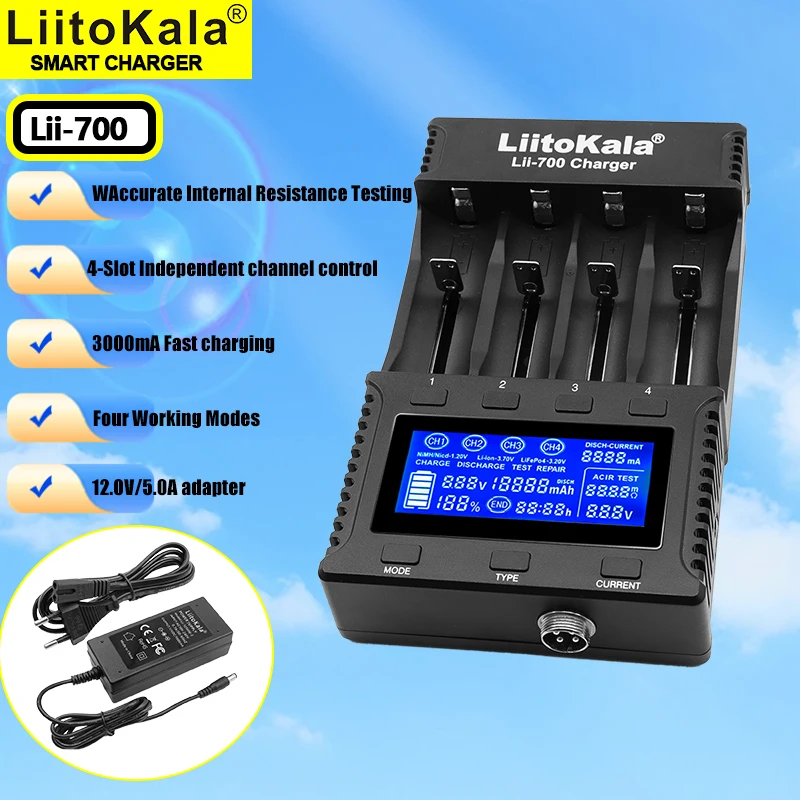
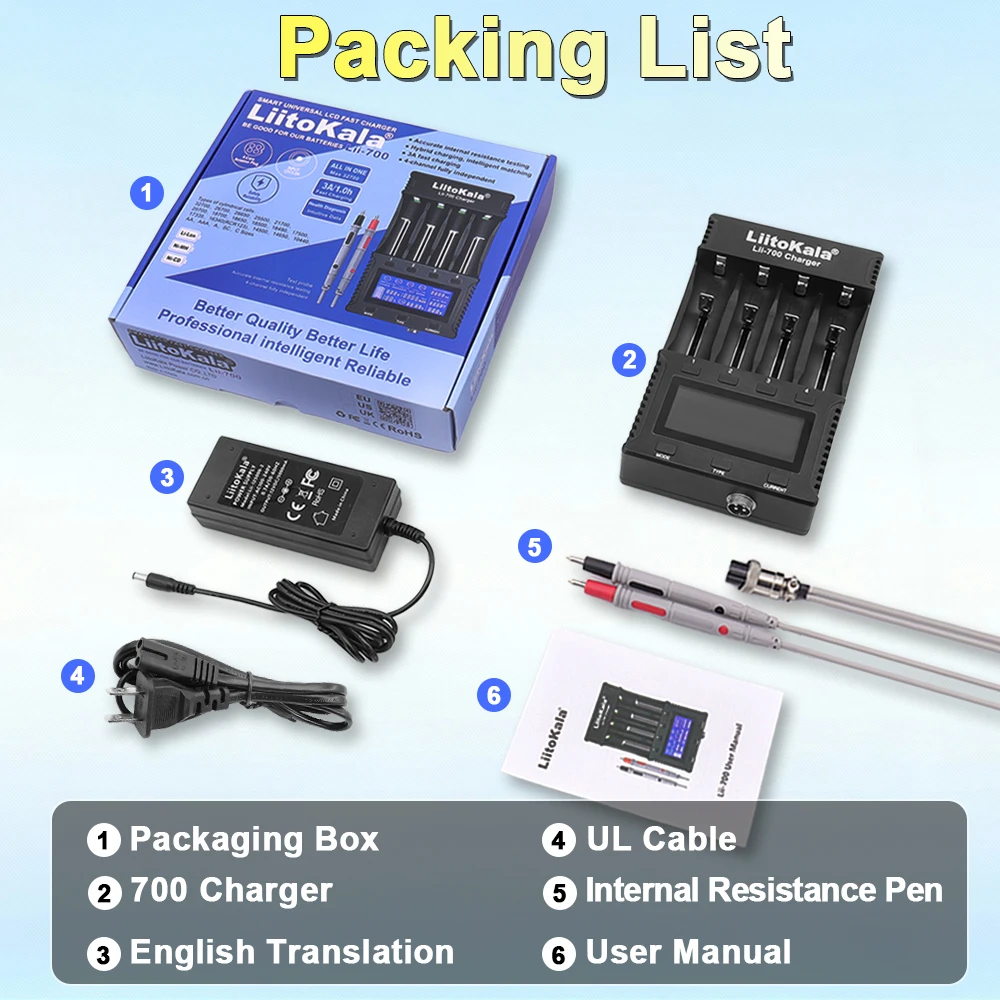
The Lii-700 is a high-end, intelligent, fast charger featuring functions such as battery internal resistance testing, 4 independent charging channels, battery capacity detection, reverse connection protection, short-circuit protection, overcharge protection, and 0V battery activation. It automatically and timely monitors the battery charging, discharging, and testing processes.
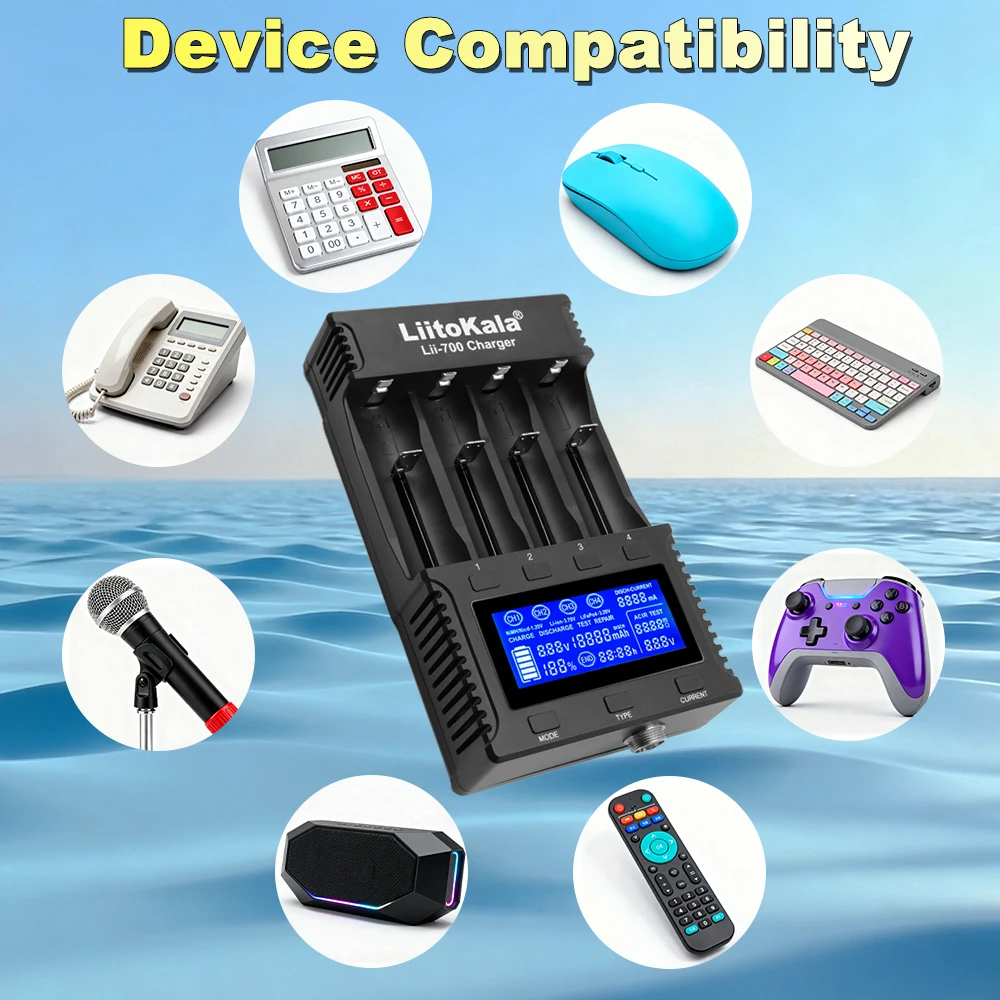
The Lii-700 can charge various sizes of cylindrical Li-ion and Ni-MH batteries, widely used in electronics such as high-lumen flashlights, power tools, instruments, digital cameras, etc. With its aesthetically pleasing and sophisticated appearance, safe and simple operation, portability, and powerful features, it is an excellent helper for your home.
I. Warnings
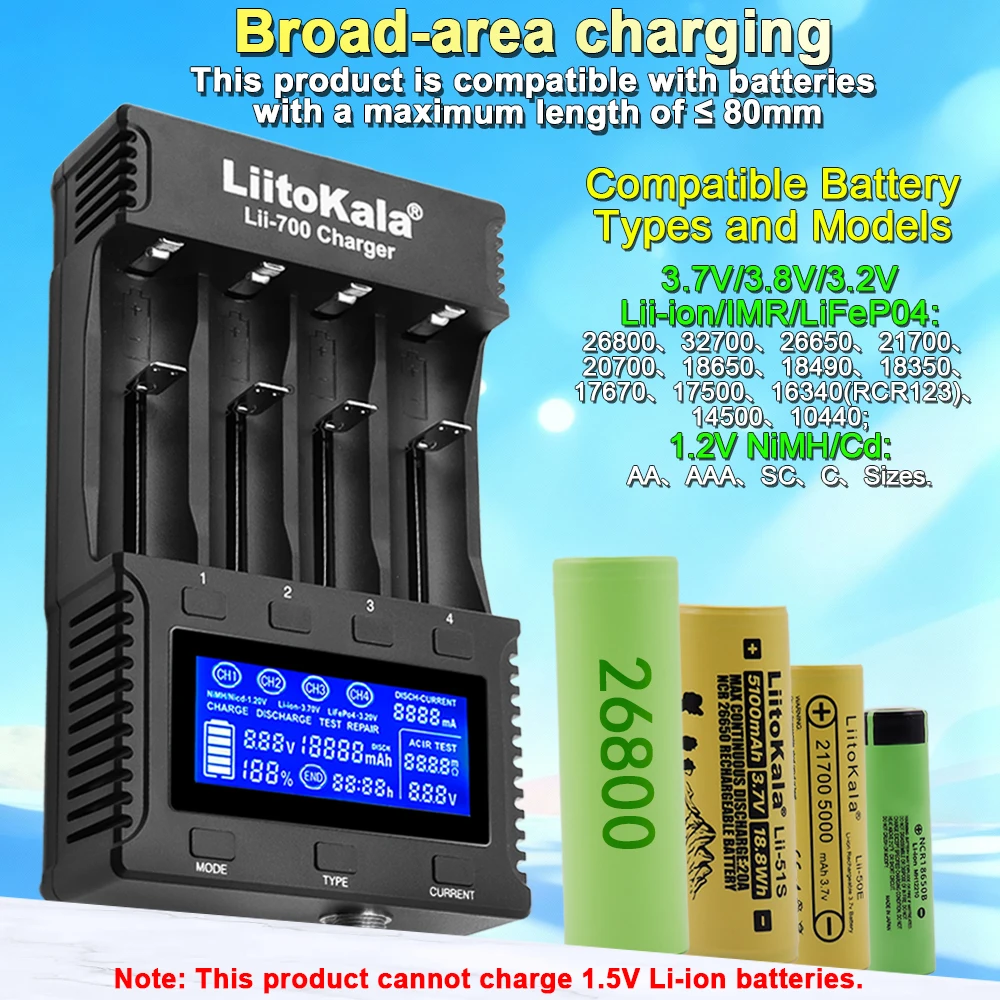
This charger can charge cylindrical Li-ion batteries, Ni-MH batteries, and LiFePO4 batteries.
Before use, please carefully read the manual. Pay attention to the recommended charging current for the rechargeable batteries; do not exceed the recommended current.
Do not use other non-standard power adapters.
The charger may heat up during charging/discharging; be careful to avoid burns.
When stopping use, unplug the power adapter and remove the batteries.
Only use at room temperature and indoors.
The detection data provided by this product is for reference only. Please refer to professional instruments for actual conditions.
II. Features
Compatible with professional-grade battery internal resistance test function.
Four slots operate independently.
Can charge and test battery internal resistance simultaneously without interference.
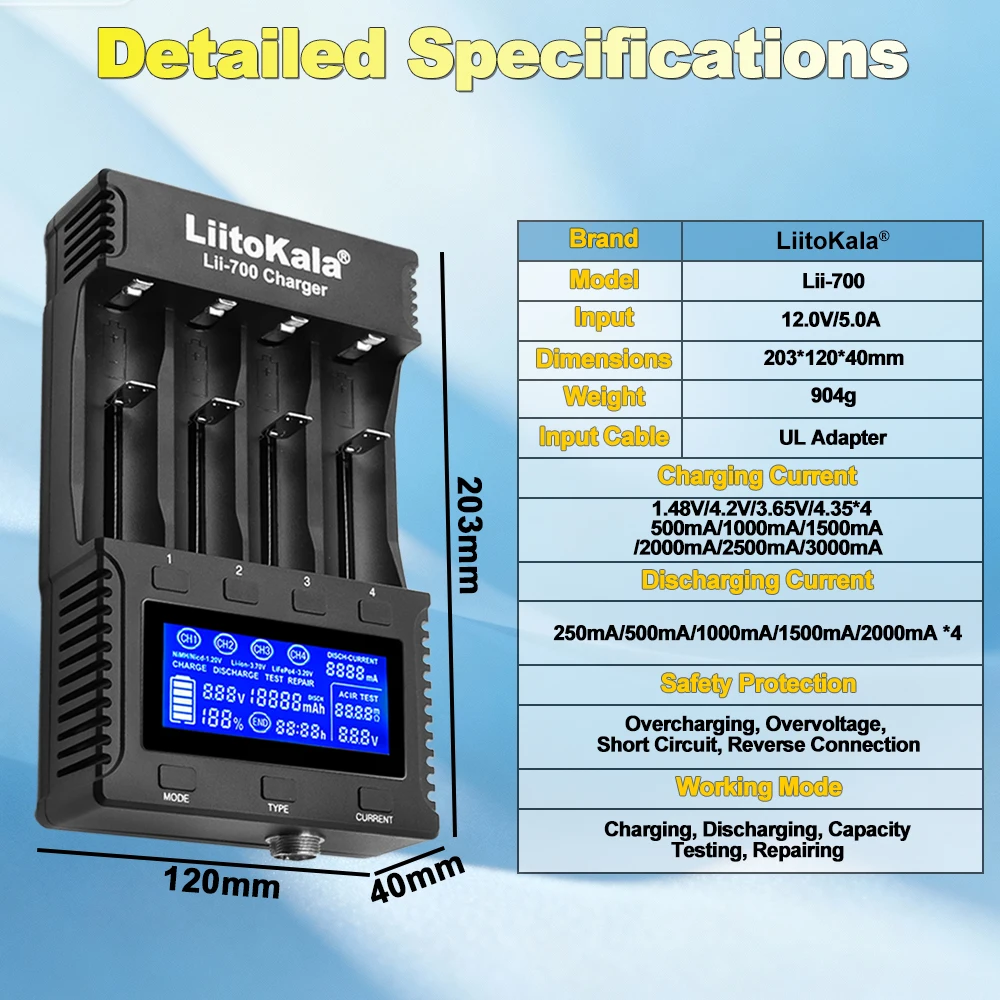
Multiple selectable charging currents: 500mA / 1000mA / 1500mA / 2000mA / 2500mA / 3000mA.
Multiple discharge currents: 250mA / 500mA / 1000mA / 1500mA / 2000mA.
Can simultaneously charge different specifications (18650 / 26650 / … / AA / AAA) of rechargeable batteries.
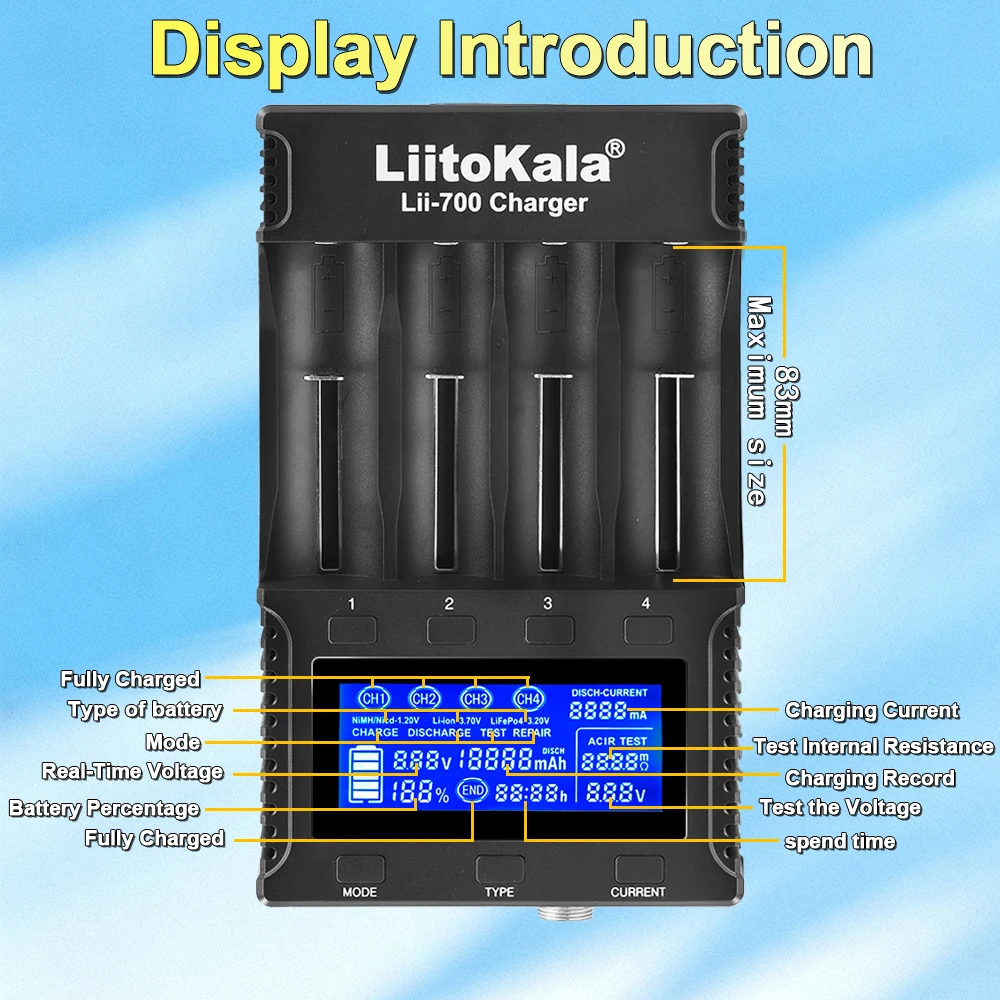
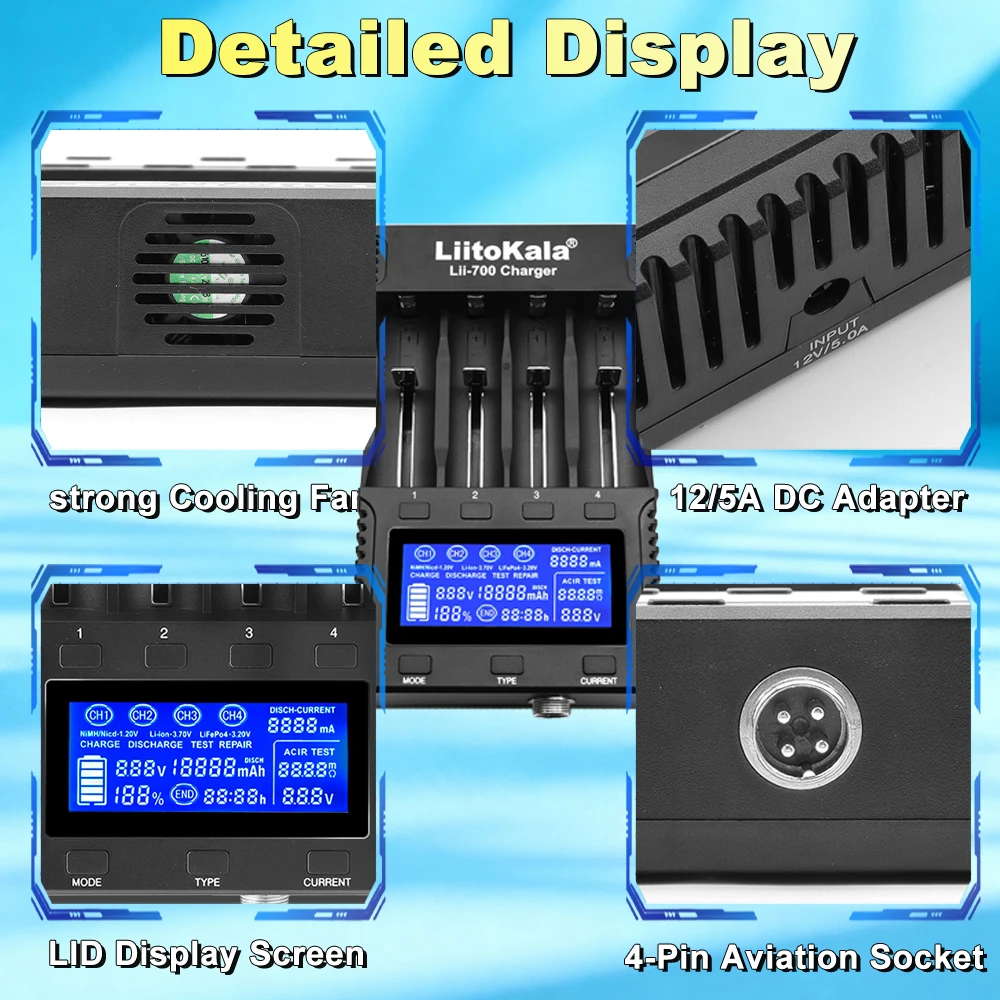
Features independent LCD displays for each slot, showing parameters including battery type (Li-ion-3.7V, LiFePo4-3.2V, Ni-MH-1.2V), working mode, battery channel (CH1-CH4), operation mode (CHARGE / DISCHARGE / TEST / REPAIR), charge/discharge capacity (mAh), charge/discharge time (h), charge/discharge current (mA), battery voltage (V), battery power percentage %, etc. Detailed and clear at a glance.
In CHARGE mode, all 4 channels work independently; each channel can select different charging currents and detect charging capacity.
In DISCHARGE mode, all 4 channels work independently; each channel can select different discharge currents and detect discharge capacity.
In TEST mode, the standard battery capacity detection process involves three steps (1. Charge, 2. Discharge, 3. Recharge) to determine the battery capacity.
Different channels can operate in different modes (CHARGE, DISCHARGE, TEST, REPAIR). Independent setting of charging / discharge capacity detection / standard capacity detection functions.
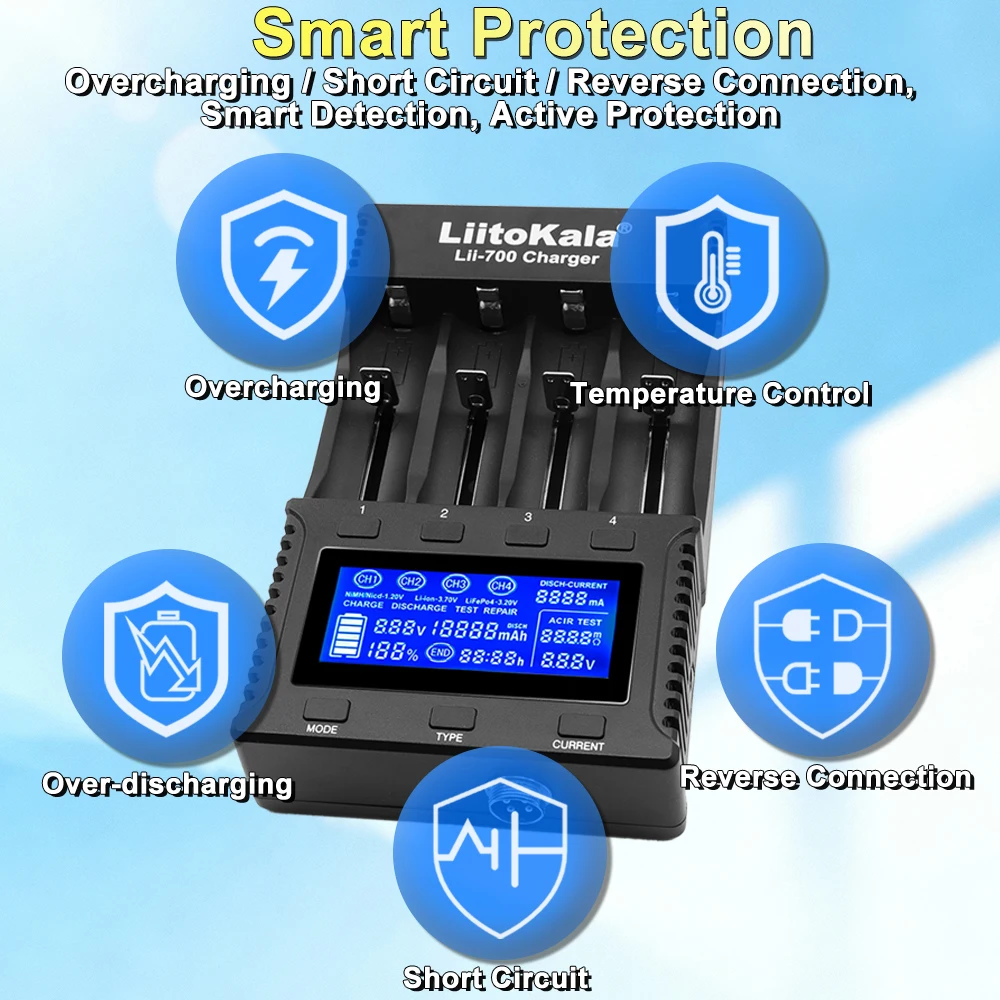
Multiple protection functions: Overcharge/Over-discharge, Short-circuit, Temperature, 0V Activation, (-ΔV & 0ΔV), intelligent identification of bad batteries, and reverse connection detection protection.
III. Button Description
The charger has 7 buttons: Mode selection button (MODE), Current selection button (CURRENT), Battery type selection button (TYPE), and individual channel/data viewing buttons (1, 2, 3, 4). These 7 buttons also function to illuminate the LCD backlight. Simple and convenient to use.
MODE: (Mode Selection) Includes CHARGE mode, DISCHARGE mode, TEST capacity detection mode, and REPAIR mode.
CURRENT: (Short press to select current) Includes 500mA / 1000mA / 1500mA / 2000mA / 2500mA / 3000mA.
1/2/3/4 Channel Buttons: (Corresponding to channels 1/2/3/4 respectively). Short press to independently select and view the corresponding channel's data. Long press any button to control the LCD display (always on or off).
Under any condition, long press the MODE button can change the mode among CHARGE, DISCHARGE, TEST, and REPAIR. Then, within 8 seconds, lightly touch the corresponding function touch point to change the mode, current, independent/mixed charging, and capacity detection functions. After selection, it enters the working state in 8 seconds. During operation, lightly press the (1/2/3/4) touch points to view the status of the corresponding slot, including parameters like battery type / charging mode / charging capacity (mAh) / charging time (h) / charging current (mA) / battery voltage (V) / power percentage %, etc. Finally, "End" will be displayed, indicating the process is complete.
IV. Mode Operation Instructions
When the charger is connected to power, the LCD screen lights up fully and all segments display briefly. Simultaneously, channels 1/2/3/4 enter a ready state. If no battery is inserted, "Null" will be displayed. If a bad battery is inserted or the battery is reversed, "Err" will be displayed
1) CHARGE (Charging Mode)
After installing the battery and connecting the power, the system automatically enters CHARGE mode. Short press the "CURRENT" button to select the charging current. The default charging current is 500mA. Within 8 seconds, you can select the current by short pressing (CURRENT) to charge. The system will lock the selected current for charging after 8 seconds. If no setting is made within 8 seconds, the system automatically defaults to charging at 500mA. At this point, the current and other functions can no longer be changed. To change, long press MODE and reselect.
In CHARGE mode, within 8 seconds, you can freely change between independent charging or different current selections, as well as mixed charging of different batteries. Operation is simple: within 8 seconds, lightly press the button (1/2/3/4) corresponding to the battery slot, then press MODE to change the mode, press CURRENT to change the current, and set independent/mixed charging/capacity detection functions. After selection, it enters the working state in 8 seconds. Please select the charging current according to the battery capacity. If fast charging is not required, charging at 500mA is recommended as most suitable and safe.
In CHARGE mode, by lightly pressing the 1/2/3/4 buttons, you can switch to view the status of each slot: including battery type / charging mode / charging capacity (mAh) / charging time (h) / charging current (mA) / battery voltage (V) / power percentage %, and other parameters. After the battery is fully charged, "End" will be displayed (charging finished).
Charging current can be selected from 500mA / 1000mA / 1500mA / 2000mA / 2500mA / 3000mA.
Charging process reference:
Enter CHARGE -> Select Charging Current -> Battery Charging -> END
2) DISCHARGE (Discharge Mode)
2.1 After installing the battery and connecting the power, within 8 seconds, lightly press (MODE) to select (DISCHARGE mode). Then short press the (CURRENT) button to select the desired discharge current (250mA / 500mA / 1000mA / 1500mA / 2000mA). If no current selection is made, the system automatically defaults to a discharge current of 500mA. The system will lock your selection and start working after 8 seconds. The system records data during discharge to detect the battery discharge capacity.
2.2 By lightly pressing the 1/2/3/4 buttons, you can switch to view the status of each slot: including battery type / working mode / discharge capacity (mAh) / discharge time (h) / discharge current (mA) / battery voltage (V) / power percentage %, and other parameters. Afterwards, "End" will be displayed (discharge finished).
2.3 Discharge process reference:
Enter DISCHARGE -> Select Discharge Current -> Battery Discharging -> END
3) TEST (Capacity Test Mode)
TEST mode first fully charges the battery, then discharges the battery and records the discharge capacity and other parameters, then automatically recharges the battery while recording the charge capacity and other parameters, finally fully charging the battery. It has both discharge capacity detection and charge capacity test functions. Detailed steps are as follows:
Enter TEST -> Select Charging Current -> Battery Charging -> Battery Discharging -> Recharging -> END
3.1 Long press MODE in any state to enter TEST mode.
3.2.1 After entering TEST mode, within 8 seconds, you can select the current size by short pressing (CURRENT). The system will lock the selected current for charging after 8 seconds. If no setting is made within 8 seconds, the system will automatically lock to 500mA charging current.
3.2.2 After the battery is fully charged, the system automatically switches to discharge. The discharge current is determined based on the charging current (When charge is 500mA, discharge is 250mA; when charge is 1000mA, discharge is 500mA; when charge is above 1000mA, discharge is 1000mA). It records data during discharge to detect the battery's discharge capacity.
3.2.3 After the battery discharge is completed, the system automatically switches to charge. The charger will recharge the battery using the previously selected current parameters and record data during charging to detect the battery's charge capacity. At this time, the system displays "END" and stops charging.
4) REPAIR (Repair Mode)
4.1 Repair mode operates at a fixed 500mA current until the battery is fully charged.
5) Battery Internal Resistance Test Function
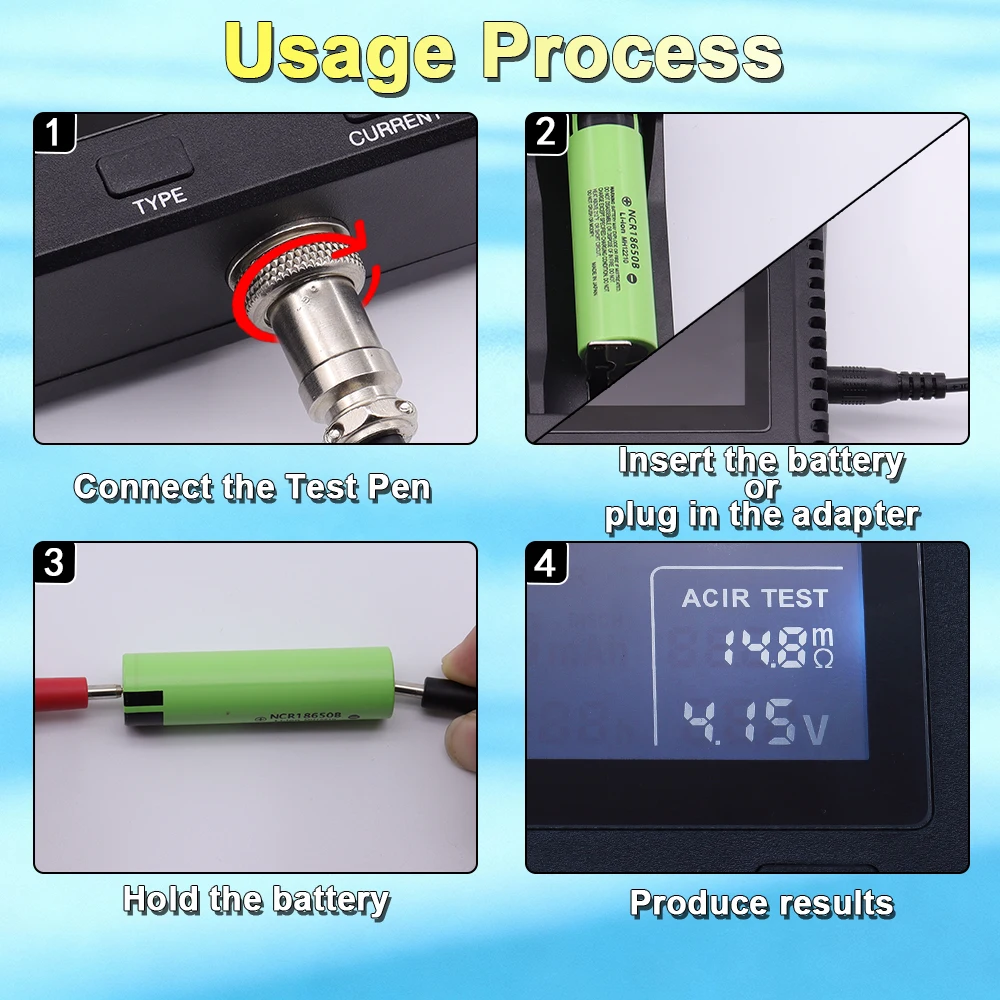
5.1 Use the included aviation connector test leads. Press them against the positive and negative poles of the battery for about 3 seconds to accurately detect the battery voltage and internal resistance value.
V. Specifications
5.1 DC Input Voltage: 12.0V / 5.0A
5.2 Ni-MH Battery Charging Current: 1.48V 500mA / 1000mA / 1500mA / 2000mA / 2500mA / 3000mA *4
Li-ion Battery Charging Current: 4.20V 500mA / 1000mA / 1500mA / 2000mA / 2500mA / 3000mA *4
5.3 Compatible Battery Specifications: 18650, 21700, 26650, 14500, AA, AAA, etc.
5.4 Discharge Current: 250mA / 500mA / 1000mA / 1500mA / 2000mA *4
5.5 Termination Method: Intelligent Voltage Monitoring
5.6 Dimensions: (Length) 208mm * (Width) 110mm * (Height) 42mm
SHIPPING
The final shipping cost and estimated delivery timeframe will be available to you during checkout. Currently, we offer 3 International shipping methods which are steady and easy to track. Priority worldwide shipping, Premium ( Partial countries) and a faster Express shipping. The estimated times stated below are not guaranteed. An international package could experience delays like postal strikes or severe weather or Cov-19 situation. All shipping ways, PO Box address is not acceptable.
For some flashlights, there's a pure battery inside(phone charging),If We can not ship your packages via USPS or DHL,we'll ship your package in another way.
Note:
When you place an order for just the batteries, for easy shipping, faster and safe delivery, the batteries are placed in the flashlights.
If you don’t receive your order within the estimated time frame provided below and suspect that it might be lost in transit, please contact Flashlightgo Support ( support@flashlightgo.com ) and we can look into the order with the courier. Lost-in-transit requests must be submitted to Flashlightgo Support within 3 months of the date of shipping or before the courier archives the tracking information.
Option 1.
Express by DHL/UPS/Fedex/Aramax/SF etc ( there may be tax need to pay in this way),
The estimated time of delivery is usually 3-7 work days depending on the country. Includes detailed tracking and confirmation of delivery.
Option 2.
Premium ( 6-10days, All tax and Duty Paid),
All tax and duty are prepaid to carrier by Flashlightgo before shipping, so you dont need to pay any tax or duty when you get it.
Option 3.
Priority shipping(1-2 Weeks, average 10 days)
If we marked it is with all tax and duty paid, all tax and duty are prepaid to carrier by Flashlightgo before shipping, so you dont need to pay any tax or duty when you get it.
Learn more,Please click on Here.
To ensure that you get the desirable product, we allow a seven-day product return period. Any product return application outside this period will not be entertained.
All returned product must be unused and the original package should be kept.
Return:
We do not offer return for personal products like socks and hats or food, magazine and fragile or dangerous products The original receipt must be available for application of return.
Discount products:
No product return for discount products
Gifts products:
If the item is marked as a gift when purchased and shipped directly to you, it cannot be exchanged , refunded or warranty.
Exchange:
We only replace items if they are defective or damaged.
Exchange service are offered only to wrong deliveries or product damage not caused by client. If needed, please email to info@flashlightgo.com.
Warranty
How long is the warranty period?
Flashlightgo warrants to the original purchaser that the Product(s) shall be free of any defect in material or workmanship for a period of one year for labor and one year for parts from the date of the original order except the items listed below:
Chargers,Batteries and Other Accessories: 3 months warranty
Should the Product(s) supplied by Flashlightgo prove defective because of improper workmanship or material as reasonably determined by us, Flashlightgo agrees, at its option, to either repair or replace the Product free of charge, excluding any shipping or handling charges.
Learn more,Please click here.